
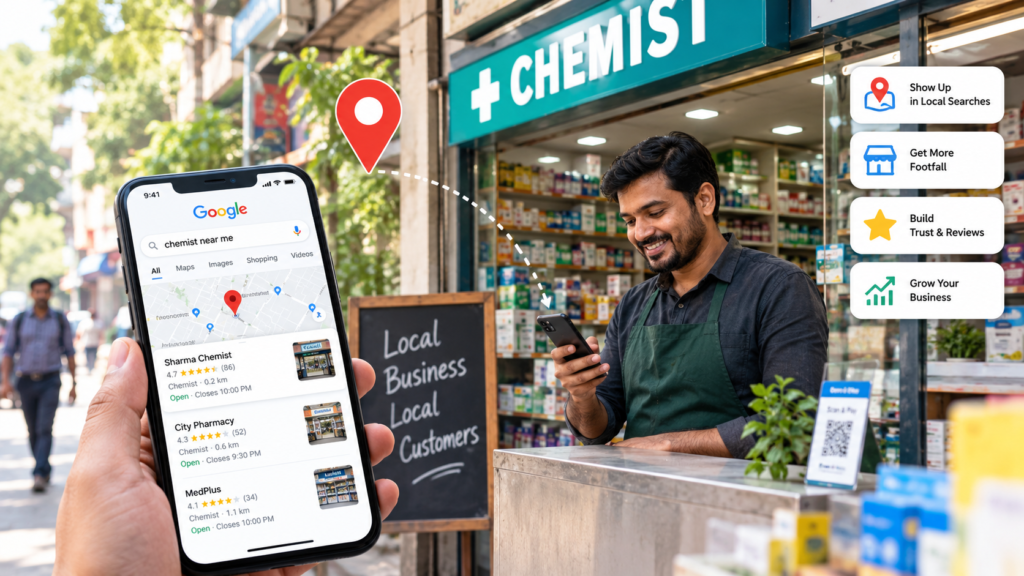
Think about the last time you searched “chemist near me” or “best salon in Sector 56.” You probably tapped one of the first three results. You didn’t scroll further.
That is exactly why local SEO for small businesses matters. When people search for something close by, they want to act fast. If your shop doesn’t show up, they will simply go to the next one.
The good news is that you don’t need a big budget. You need a clear plan and a little consistency. In this guide, we’ll walk through what local SEO is and how to start today.
What Is Local SEO, and Why Does It Matter?
Local SEO is the process of helping your business appear in searches that have a location attached. These include “near me” searches, searches with a city or area name, and results on Google Maps.
It matters because local searches carry strong buying intent. Someone searching “AC repair in Gurgaon” is not browsing. They need help today.
Moreover, most of these searches happen on mobile phones. That means your customer is often standing on a street, ready to walk in or make a call. If your business appears at that moment, you win the customer.
How Google Decides Which Local Businesses to Show
Google explains this itself. According to <a href=”https://support.google.com/business/answer/7091?hl=en”>Google’s own guidance on local ranking</a>, local results are based mainly on three factors: relevance, distance, and prominence.
Let’s break these down in plain words.
- Relevance: How well your business matches what the person searched for.
- Distance: How far your business is from the searcher, or from the area they typed.
- Prominence: How well known your business is, including reviews, links, and mentions online.
You can’t change distance. However, you can improve the other two a lot. The steps below show how.
7 Steps to Improve Local SEO for Small Businesses
1. Claim and Complete Your Google Business Profile
This is the single most important step. First, claim your free Google Business Profile and verify it. Then fill in every field, including your business name, address, phone number, opening hours, and services.
Many small businesses stop halfway. As a result, their profile looks thin next to competitors. A complete profile gives Google more to work with.
2. Choose the Right Primary Category
Your primary category tells Google what you are. Pick the one that matches your main service, not a broad label. For example, “Dental clinic” works better than just “Health.”
Then add secondary categories only if they are accurate. Don’t stretch the truth here, because Google may ignore or penalise it.
3. Keep Your Name, Address and Phone Number Consistent
Your business details should look the same everywhere. That includes your website, your social profiles, and any online directories.
Small differences cause confusion. “Shop No. 4” on one site and “Shop 4” on another may seem minor. Even so, consistency builds trust with Google.
4. Ask for Reviews and Reply to Every One
Reviews affect both ranking and customer trust. Google says review count and score play a role in local ranking, so this step is worth your time.
We covered this in detail in our guide to Google Reviews for small businesses. In short, ask happy customers right after a good experience. Also, reply to every review politely, including the bad ones.
5. Use Local Keywords on Your Website
Your website should clearly say where you work. Mention your city and nearby areas naturally on your homepage, service pages, and contact page.
For instance, a tutor in Gurgaon could write “maths tuition for Class 10 students in DLF Phase 3.” That single line tells Google both the service and the location.
Additionally, create a separate page for each service or area you cover. This is far better than putting everything on one page.
6. Add Photos and Post Regular Updates
Profiles with real photos feel more trustworthy. Upload clear pictures of your shop, your team, and your work. Use real images, not stock photos.
You can also post offers, events, or news on your profile. Even one update a week keeps your listing active and fresh.
7. Optimise for Voice and “Near Me” Searches
More people now speak their searches instead of typing them. They say things like “Which cafe is open near me?” Because of this, your content should answer questions in a natural, conversational tone.
If you want to go deeper, read our post on voice search optimization. It pairs very well with the steps above.
Common Local SEO Mistakes to Avoid
Even well-meaning owners make these errors. Fortunately, they are easy to fix.
- Ignoring the profile after setup. Hours change, phone numbers change, and old information hurts you.
- Buying fake reviews. This damages trust and can get your profile suspended.
- Using a fake address. Google can remove listings that break its rules.
- Skipping mobile speed. If your site loads slowly on a phone, visitors will leave.
How Long Does Local SEO Take?
Honestly, it depends. A newly optimised profile can start getting more views within a few weeks. Competitive areas and categories, however, may take a few months.
The key is steady effort. Local SEO is not a one-time task. It works more like a habit, where small weekly actions add up over time.
Final Thoughts
Local SEO for small businesses is one of the most affordable ways to bring in ready-to-buy customers. Start with your Google Business Profile, collect honest reviews, and keep your details consistent. Then build from there.
If you’d like expert help, our team at AIMS Digital works with local businesses every day. Explore our local SEO services or get in touch for a free profile check.