
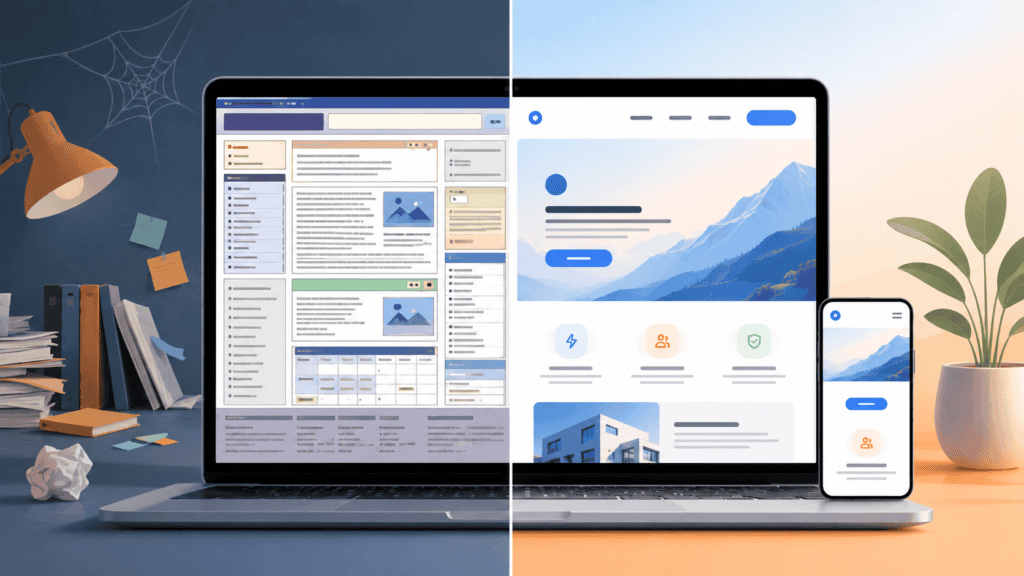
Most businesses don’t decide to redesign their website. They just keep noticing small things — a slow load here, a confusing menu there — until one day someone points out the site looks like it’s from a decade ago. By then, it’s usually already cost them customers.
The tricky part is that a website doesn’t send you a warning. It just quietly performs worse, month after month, while you assume “it’s fine, people can still find our number.” Here’s how to actually tell if your site has crossed the line from “aging” to “actively hurting your business.”
1. It Doesn’t Work Properly on Mobile
Open your own website on your phone right now. Not the desktop view zoomed out — the actual mobile version.
- Do buttons require you to zoom in to tap them
- Does text run off the edge of the screen
- Do menus or forms break or overlap
More than half of all website traffic today comes from mobile. If your site isn’t built mobile-first, you’re not just giving a bad experience to half your visitors — Google also ranks mobile-unfriendly sites lower in search results. A clunky mobile experience is one of the fastest ways to lose a customer before they’ve even read your homepage.
2. It Takes More Than 3 Seconds to Load
Website speed feels like a technical detail, but it’s really a business number. Every extra second of load time increases the chance a visitor leaves before the page even finishes loading.
Common culprits behind a slow site:
- Uncompressed, oversized images
- Cheap or overloaded shared hosting
- Too many plugins or bloated page builders
- No caching set up
You can check your own site’s speed with a free tool like Google PageSpeed Insights. If your score is in the red, visitors are quietly bouncing before they ever see what you offer.
3. Visitors Land on the Site but Don’t Enquire
This is one of the most common — and most ignored — signs. Your Google Analytics shows steady traffic. People are finding you. But enquiries, calls, or form submissions stay flat or even drop.
Usually this means the site brings people in but doesn’t guide them anywhere. No clear call-to-action, a contact form buried three clicks deep, or a homepage that talks about the company instead of what the visitor actually came looking for. Traffic without enquiries isn’t a marketing problem — it’s usually a website problem.
4. It Looks Outdated Compared to Your Competitors
Design trends move faster than most businesses realise. A site that looked modern in 2019 can look noticeably dated today — heavy stock photos, cluttered layouts, tiny fonts, sliders that no one clicks through.
Do a quick check: search your top 3 competitors and open their websites next to yours. If theirs feel cleaner, faster, and easier to navigate, that’s the first impression customers are comparing you against — often without even realising they’re doing it.
5. You’re Afraid to Send People to Your Own Website
This is the clearest sign of all. If a potential customer asks for your website and you hesitate — because you know the homepage looks messy, or the last blog post is three years old, or a page is still broken — that hesitation says everything.
Your website is often the first real interaction someone has with your business, ahead of a phone call or a meeting. If you wouldn’t confidently hand someone your site as your first impression, it’s already working against you.
What To Do If You Recognise These Signs
A redesign doesn’t always mean starting from zero. Sometimes it’s a full rebuild; sometimes it’s fixing speed, mobile responsiveness, and a clearer path to enquiry. The right starting point depends on what’s actually broken — which is worth diagnosing before spending on a redesign.
At AIMS Digital, we start every redesign conversation by auditing what’s actually costing you visitors and leads, not just refreshing the design for the sake of it. If any of the signs above sound familiar, feel free to reach out and we’ll walk you through exactly what we’d fix and why.